Screen Mirroring Pro for Roku
2kit consultingTools
4.51.03K Reviews
- Version
- 1.61
- Installs
- 100.00K
- Age Rating
- Everyone
Screenshots
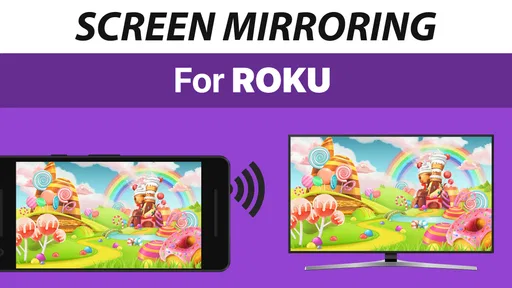
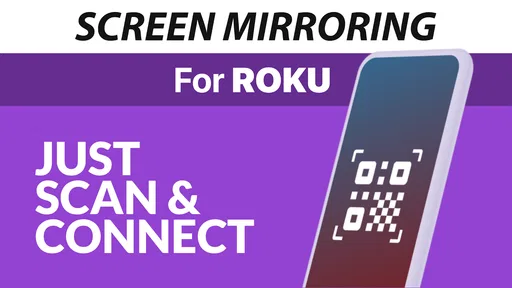
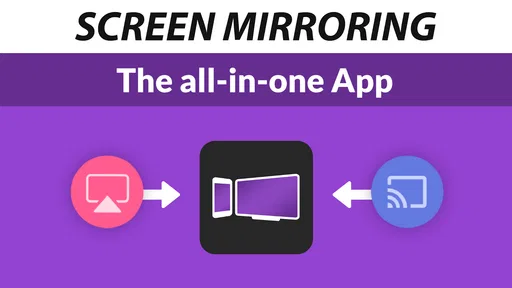
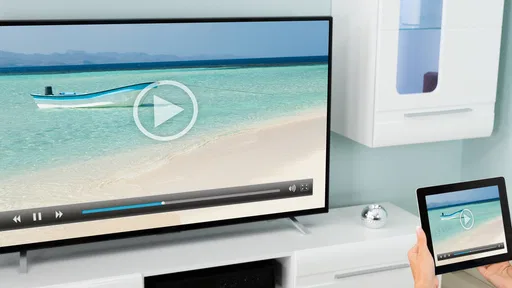
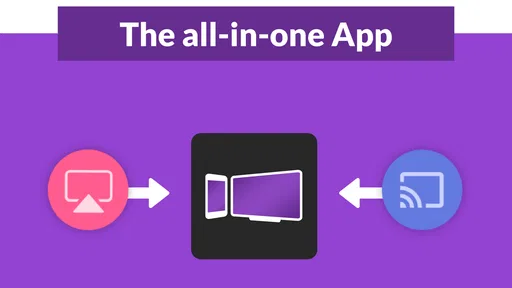
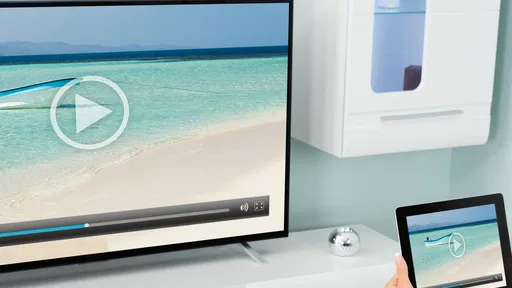
Our Review of Screen Mirroring Pro for Roku
 Analysis by Appyee
I like the idea of turning a Roku TV into a bigger view of whatever is already on my phone: holiday photos, a slide deck, or a clip someone sent me. Screen Mirroring Pro for Roku is built for that particular job, rather than acting as a general-purpose media library. In my experience, that focus makes it most useful when I want to share what is on the phone now, without first moving files to another device.
Where it fits today
This is a paid screen-mirroring tool from 2kit consulting, aimed at Roku Sticks and Roku televisions, including TCL and Hisense models. The current release is version 1.61, and the app is rated for Everyone. Its audience response is strong, with a 4.5 average from around six thousand ratings, while more than one hundred thousand installs suggest that it has found a practical niche among Roku users.
The important distinction is that mirroring shows the phone’s screen on the television; it is not the same thing as opening a streaming service directly on Roku. That difference affects which option I reach for. If I want to watch a service that already has a Roku channel, I would usually open that channel on the TV. If I want to show something that lives on my phone or display an app that has no convenient Roku equivalent, mirroring can be the more direct route.
What the release history tells me
The app was released on May 4, 2020, and its current version is 1.61. Those facts tell me that it is an established product with a defined Roku-focused purpose, but they do not, on their own, reveal what changed between releases. I would not treat a version number as proof of a particular improvement or assume that every device behaves identically.
For someone already using it, the practical question is less about the number attached to the release and more about whether the connection still suits their home setup. Roku models, phones, Wi-Fi conditions, and the content being shared all shape the experience. I would check that the phone and Roku are on the same network before assuming the app itself is at fault, then try a brief test with the kind of content I expect to show.
Who gets the most from it
I see the best fit for people who regularly need to put phone content on a Roku screen without preparing it in advance. A family member can bring up photos at the end of dinner, or I can show a document during an informal discussion rather than passing a phone around. Being able to share the whole screen can also help when I need to demonstrate an app or walk someone through a phone setting.
The trade-off is that mirroring makes the phone part of the viewing setup. I need to keep it available, maintain the connection, and think about what appears on its display. For a long film night, a native Roku app or a direct casting option is often neater: it avoids using the phone as the source for every moment and may make playback controls more convenient. I would choose this app when flexibility matters more than a dedicated TV playback experience.
What I would watch next
As a tools app, its value depends on a fairly simple chain working well: the phone, the Wi-Fi network, and the Roku device must cooperate. That is why the most useful test is a small one before a meeting or gathering, not an assumption that a setup will work perfectly when everyone is waiting. I would connect, display a photo or short clip, check that sound is routed as expected, and only then move on to the main content.
For prospective users, I would keep an eye on whether future releases continue to make that first connection and everyday troubleshooting easier. I would also judge any update by how it affects the Roku and phone combination I actually use, rather than expecting a release number alone to promise a specific new feature. If you want a simple way to show phone content on a compatible Roku, the focused approach is appealing; if you mainly watch services already available on the TV, the Roku apps themselves are likely the less fussy choice.
There is also a useful privacy habit to build into mirroring: before connecting, I close anything I would not want displayed and silence notifications if I am presenting in front of other people. A mirrored screen can expose incoming messages or account details just as readily as it can show the photo or document I intended to share. This is not a special weakness of this app so much as a consequence of showing a phone display on a large screen, but it is easy to forget when getting started.
For a casual get-together, I would make a short album or select the photos beforehand, then keep the phone nearby rather than handing it around. That reduces awkward pauses while people wait for me to find the next image and makes it easier to stop sharing once the moment is over. In a work setting, I would use the same approach with a prepared document and avoid switching to unrelated apps while the TV is visible to the room.
How it compares with other ways to share
Compared with sending a file to a television or signing into a service on Roku, mirroring is attractive because it can show content from many phone apps without a separate upload or account setup on the TV. The downside is that it reproduces the phone experience rather than handing playback off to the television. For a presentation or a quick look at personal media, that flexibility can be worth the compromise; for uninterrupted viewing, a native app or a device’s built-in casting feature may be better when available.
It is also worth separating mirroring from a simple photo viewer. A viewer can be easier if all I need is an album, but it will not necessarily show a web page, a document, or the steps inside another app. Conversely, showing the entire phone screen is broader but calls for more care: I need to manage notifications, orientation, and what I leave open. That balance is the app’s central trade-off, not a reason to expect it to behave like a dedicated video player.
Everyday setup and practical limits
If a Roku does not appear, I would first confirm that both devices are connected to the same Wi-Fi network, as the initial connection depends on that shared network. If they are, I would check that the TV is awake and that the phone has not switched to another network, then retry before changing several settings at once. A quick, orderly check makes it easier to tell a network issue from an app issue.
For a video, I would test both picture and sound before settling in. Phone mirroring can be convenient, but performance is tied to the wireless connection and to what the phone is doing; moving farther from the router or using a busy network may affect the experience. I would not choose it for a situation where perfectly consistent playback is essential without first testing the exact setup. For games in particular, even a small delay can matter, so a responsive game that tolerates some latency is a safer match than a fast competitive one.
The price is $4.99, so I would decide based on how often I expect to use this Roku-specific workflow rather than buying it for a single uncertain occasion. If I share phone content with a Roku regularly, paying for a focused tool may be reasonable. If I only need to show a screen once in a while, I would first see whether the phone, television, or Roku already offers a built-in method that covers that need.
A more realistic way to judge it
Picture a family visit where someone wants to show a set of travel photos stored on their phone. The app can save the group from crowding around a small display, but the smoothest version of that moment depends on a little preparation: connect before everyone gathers, open the album, and check that the TV shows the intended image. If the phone is also being used for messages, navigation, or other tasks, the person sharing has to stay attentive to what appears on screen.
That scenario captures why I would recommend it to a Roku owner who values quick, flexible sharing more than hands-free playback. It is less compelling for someone who mainly streams films, expects a phone to remain free during playback, or needs a presentation setup with guaranteed consistency. In those cases, a Roku channel, a wired display connection where supported, or another built-in sharing route may be a better fit.
Getting Started: A Breeze
First off, the installation was a no-brainer. I headed to the app store, searched for Screen Mirroring Pro for Roku, and within minutes, it was up and running on my device. The app’s user interface is pretty straightforward, which is a relief. You don’t need a tech degree to navigate through it.
Once installed, the app prompts you to connect to your Roku device. It’s essential that both your smartphone and Roku device are on the same Wi-Fi network, or else you’ll be in for a bit of a head-scratcher. Once that’s sorted, connecting is just a tap away.
Features That Stand Out
Screen sharing is the main attraction here, and boy, does it deliver! Whether it’s streaming videos, showcasing photos, or even playing games, the app handles it with aplomb. There’s minimal lag, which is crucial when you're showing off those vacation photos or mid-game highlights.
Another feature that I found surprisingly handy was the ability to stream audio along with video. Not all mirroring apps offer this, and it’s a game-changer for those karaoke nights or video presentations with sound.
One little nugget of joy was discovering the app’s compatibility with a variety of file types. Videos, photos, PDFs – you name it, the app mirrors it. This versatility makes it a reliable tool for both casual users and professionals.
Performance and Reliability
In terms of performance, Screen Mirroring Pro for Roku does a stellar job. I tested it with different types of media and didn’t encounter any major hiccups. The image quality remained crisp, and the sound was clear. There’s no noticeable latency, which is a huge plus, especially for gamers and binge-watchers.
The app also manages to maintain a stable connection throughout. No one likes interruptions, and thankfully, this app keeps them at bay. It’s quite reliable, even over extended periods of use.
Room for Improvement?
While the app is a solid performer, there are a few areas where it could improve. For instance, the initial setup might be a bit daunting if you're not familiar with your network settings. A little more guidance in the app would go a long way.
Additionally, while the app is generally stable, it would be nice to see more frequent updates to refine its performance further. Technology evolves, and it’s crucial for apps like these to stay on top of their game.
Final Thoughts
All in all, Screen Mirroring Pro for Roku is a must-have for anyone looking to share their smartphone screens seamlessly with their Roku TV. It’s user-friendly, reliable, and packed with just the right features to make your mirroring experience smooth and enjoyable. Whether it's for entertainment or work, this app has got you covered. So, go ahead, give it a try, and transform the way you interact with your TV.
If you’re curious and ready to dive into a more connected experience, check out the app on your respective app store. Happy mirroring!
Verdict
Strengths of Screen Mirroring Pro for Roku
- Easy setup process even for beginners.
- High-quality video streaming with minimal lag.
- Supports multiple media formats seamlessly.
- User-friendly interface with intuitive controls.
- Compatible with most Roku devices.
Limitations of Screen Mirroring Pro for Roku
- Occasional connectivity drops during long sessions.
- Requires Wi-Fi for optimal performance.
- Limited customization options for advanced users.
- Ads can be intrusive in the free version.
- Some features locked behind a paywall.
Other Releases by 2kit consulting
View All
TV Cast Pro for Fire TV
Video Players & Editors4.1

TV Cast | Ultimate Edition
Video Players & Editors4.0

Screen Mirroring + for Fire TV
Tools4.4

TV Cast Pro for LG webOS
Video Players & Editors4.2
Similar Picks in This Category
View All
Google LLC4.0

Gboard - the Google Keyboard
Google LLC4.5

Google Play services
Google LLC4.3

Google Play Store
Google LLC4.9

Files by Google
Google LLC4.5

SHAREit: Transfer, Share Files
Smart Media4U Technology Pte.Ltd.4.3
Frequently Asked Questions
What is Screen Mirroring Pro for Roku and how does it work?
Screen Mirroring Pro for Roku is an app that allows users to mirror their smartphone or tablet screen onto a Roku device. This is achieved through Wi-Fi connectivity, enabling users to display videos, photos, and other content directly on their TV screen. It's a convenient way to enjoy mobile content on a larger display.
Is Screen Mirroring Pro for Roku compatible with all Roku devices?
While Screen Mirroring Pro for Roku supports many Roku devices, compatibility may vary based on the model and software version. It's important to check the app's requirements and the Roku device's specifications to ensure a seamless experience. Generally, most newer Roku models support screen mirroring features.
Does Screen Mirroring Pro for Roku require an internet connection to function?
Yes, Screen Mirroring Pro for Roku requires both the smartphone or tablet and the Roku device to be connected to the same Wi-Fi network. This connection is essential for the app to transmit the screen data from the mobile device to the Roku, making the mirroring process possible.
Are there any security concerns with using Screen Mirroring Pro for Roku?
Using Screen Mirroring Pro for Roku is generally safe, but users should be mindful of their network security. Ensure that your Wi-Fi network is secure and password-protected to prevent unauthorized access. Additionally, avoid mirroring sensitive information to public or shared networks to maintain privacy.
What types of content can I mirror using Screen Mirroring Pro for Roku?
With Screen Mirroring Pro for Roku, users can mirror a wide range of content, including videos, photos, apps, games, and presentations. However, some apps may restrict mirroring due to copyright protections. Always check the app permissions and guidelines to understand what content can be shared.
